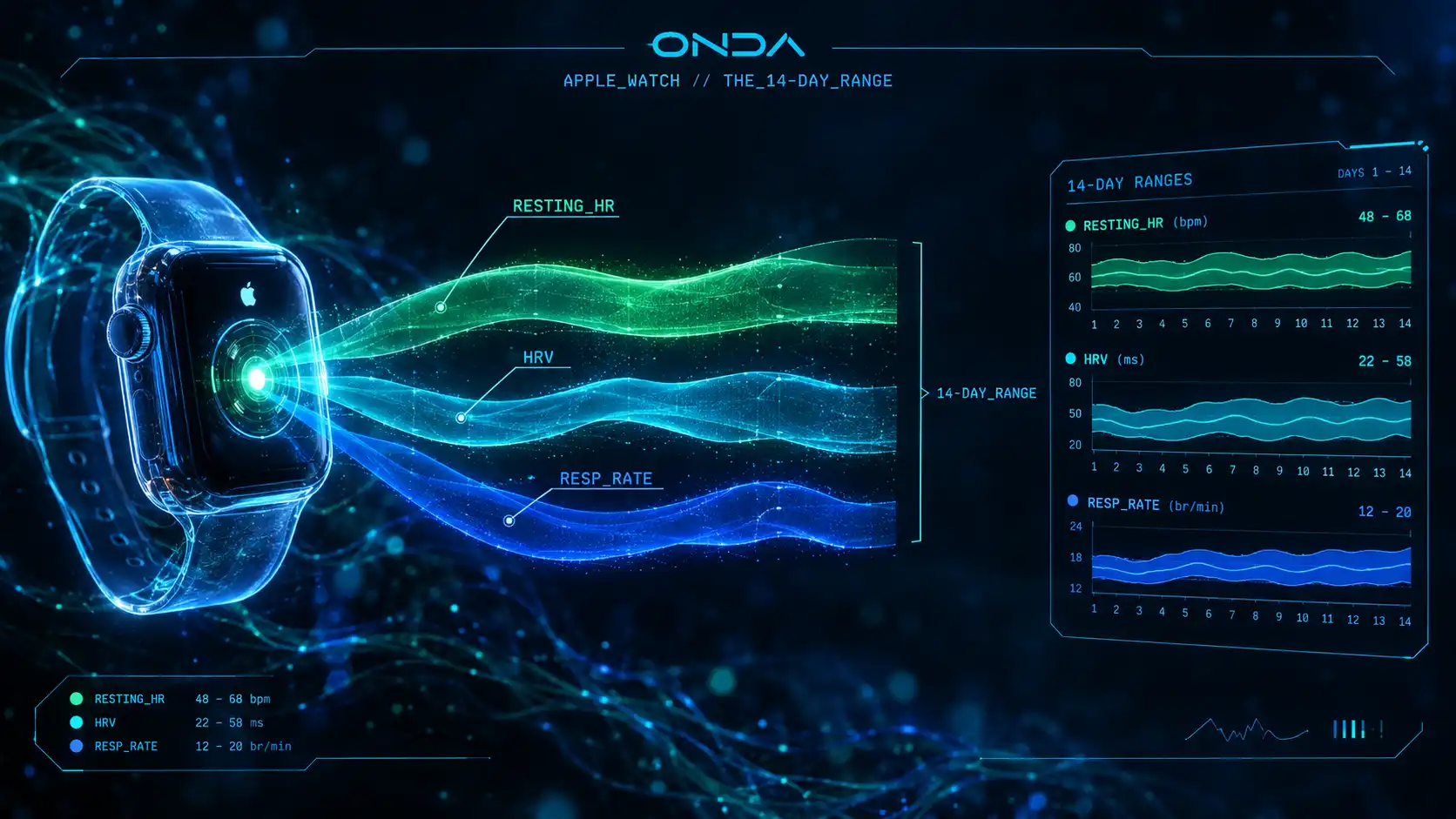
[ SIGNAL: WHAT_THE_WATCH_ALREADY_KNOWS ]
"You don't have to do anything for an Apple Watch to build a record of you. While you sleep it samples your pulse, times the gaps between beats, and counts your breaths — night after night. Most people never look. The numbers are already there; the only trick is reading them back as a range instead of a single, lonely figure."
Check your number → HRV Calculator by Age — compare your morning RMSSD (Oura, Whoop, Garmin, Polar, Fitbit) with Fitbit users your age. Apple Watch SDNN is a different measure and isn't compared.
Section 1: What does an Apple Watch record while you sleep?
Three signals do most of the work, and all three are collected while you sleep, when nothing you're doing is in the way:
- •Resting heart rate — how slow your pulse settles when your body has nothing to answer for. One number a night.
- •Heart-rate variability (HRV) — the tiny, beat-to-beat differences in timing. It rises when your body is at ease and narrows when it is braced. See heart-rate variability for the mechanism.
- •Respiratory rate — how many breaths you take per minute, asleep, without ever deciding to.
None of these needs a workout or a chest strap. They are a by-product of wearing the watch to bed.
Section 2: Why is a single resting heart rate reading not enough?
A single resting heart rate — "62 this morning" — is a snapshot with no context. Was that low for you, or a quiet exception? You can't tell from one reading.
Two weeks answers it. Across fourteen nights you get a low and a high, and where the typical night sits between them. That span is the information: a person whose HRV runs 30–120 across a fortnight lives a very different two weeks from one who runs 55–70, even if their averages match. The range is the story; the average hides it.
This is why the Baseline tool shows a bar with your low, your high and your average marked — not a verdict. It is your own span, measured against nothing but itself.
Section 3: What the spread is telling you
The gap between your calmest night and your most restless one is not a score to beat. It is a record of the fortnight you actually had — the late night, the hard session, the head cold, the good stretch. Nights your body stayed on guard sit at one end; nights it fully let go sit at the other.
Reading that back is the whole point: not a grade, but a picture of how your own system moved across two weeks. What one snapshot cannot show — how these numbers travel together day to day, and what they do when you change something — is what a live tool like the ONDA app is for.
Section 4: See yours in thirty seconds
Everything above is already on your iPhone. A free shortcut reads the last two weeks of your own Apple Health and draws it back to you — the range, not one number — without a single figure leaving your device.