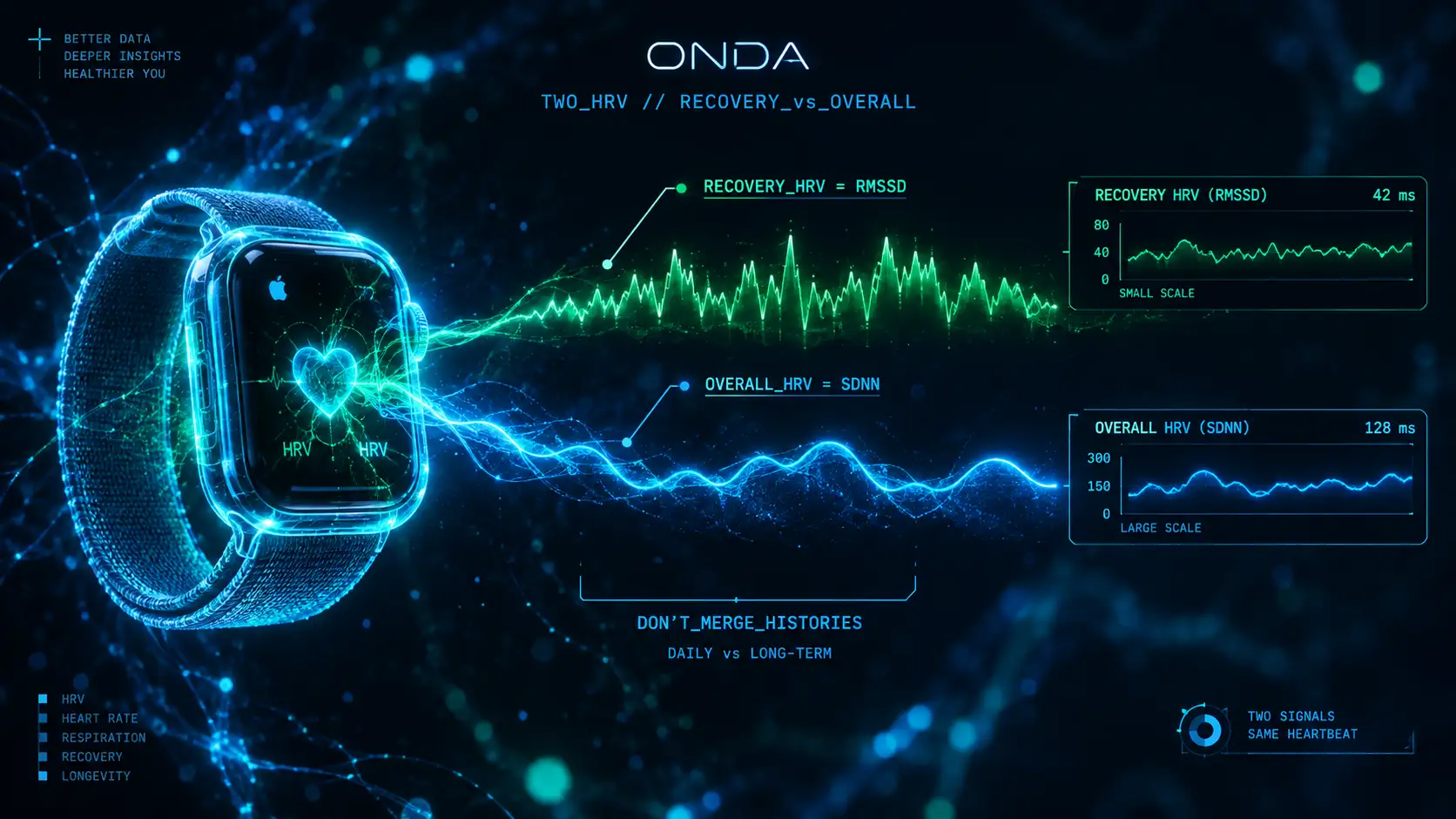
[ SYSTEM UPDATE: TWO NUMBERS WHERE THERE WAS ONE ]
"People opened the Health app in late September 2026 and found something new: their Apple Watch was suddenly reporting two heart-rate-variability numbers instead of one — 'Recovery HRV' and 'Overall HRV' — and they often didn't match.
Check your number → HRV Calculator by Age — compare your morning RMSSD (Oura, Whoop, Garmin, Polar, Fitbit) with Fitbit users your age. Apple Watch SDNN is a different measure and isn't compared.
This wasn't a bug. With the Apple Watch Series 12 and Ultra 4 on watchOS 27, Apple rebuilt how the watch measures HRV — it now reports two HRV variants, measures far more often, and gives each number a different job. If your HRV looks different, jumpier, or hard to compare to last month, here is exactly what happened."
Section 1: What Apple actually changed
The Series 12 and Ultra 4, announced in September 2026, ship with a new Health Sensing System — new optical and electrical heart sensors — and three things changed at once (Apple Newsroom, September 2026):
- •HRV is now sampled about every 5 minutes — roughly 24× more often than before, where the watch captured HRV only about once every two hours (MacRumors; 9to5Mac, September 2026).
- •HRV split into two metrics. The watch now surfaces Recovery HRV and Overall HRV as separate readings.
- •Overnight Vitals now analyses Recovery HRV against your personal baseline, with a new toggle between overnight and daytime vitals.
More frequent sampling of a noisy signal is why the number can look jumpier than the once-every-two-hours figure you were used to.
What is the difference between Recovery HRV and Overall HRV?
Apple describes Recovery HRV as best for daily signals of stress and recovery, and Overall HRV as best for insights on broader health, including cardiovascular health (Apple Newsroom, 9 September 2026):
- •Recovery HRV — aimed at day-to-day stress and recovery. It is the number to watch for "am I recovered today?" and it is the one Overnight Vitals compares against your personal baseline.
- •Overall HRV — a broader view of your HRV, oriented toward general and cardiovascular-health context rather than daily readiness.
What Apple has not said: Apple has not published the formula behind Recovery HRV or Overall HRV. watchOS 27 added an RMSSD data type to Apple Health alongside the long-standing SDNN type, and Recovery HRV tends to read higher than Overall HRV, but Apple does not say which statistic each variant uses. You will see reviews claim "Recovery HRV = RMSSD" — treat that as an educated guess, not an Apple specification.
So the practical reason they don't match: they are two different calculations from the same heartbeats, built for different questions. Neither is "wrong."
Why does SDNN vs RMSSD matter?
For years there was a quiet mismatch in the wearable world. Apple Health's long-standing HRV value in HealthKit is SDNN — the standard deviation of the intervals between normal heartbeats. But the recovery scores from Whoop, Oura and Garmin are built primarily on RMSSD — the root-mean-square of successive differences, which tracks the parasympathetic (vagal) branch more directly.
That mismatch is exactly why an Apple Watch HRV of, say, 40 never lined up with a Whoop or Oura number — different devices report different HRV partly because they report different metrics.
In 2026 that changed. With iOS and watchOS 27, HealthKit added heartRateVariabilityRMSSD as its own distinct type, separate from the existing heartRateVariabilitySDNN — and the two are never aliased or substituted (Apple HealthKit documentation). For the first time, third-party apps can read a native RMSSD value from Apple Health, the same family of metric the dedicated recovery trackers use. Older Apple Watch models report SDNN only.
Can you combine old Apple Watch HRV history with Recovery HRV?
No. Your old Apple Watch history is SDNN, sampled roughly every two hours; Recovery HRV is a new variant, measured as often as every five minutes, whose formula Apple has not published. That makes them separate series, not one continuous line.
- •Recovery HRV and Overall HRV will usually differ for the same night (Recovery HRV tends to read higher), so don't compare them directly.
- •Likewise, SDNN and RMSSD are different statistics on different scales — a chart that splices SDNN months onto RMSSD months is a broken time series. Treat them as separate lines.
- •Give any new baseline time. A personal HRV baseline needs roughly a week to stabilise and closer to a month to become reliable, so the first few weeks after the switch will look unsettled by design.
If your "HRV" appears to have jumped in late September 2026, this is almost certainly why — the measurement under the label changed, not your physiology.
Section 5: What it means practically
- •For cross-checking Whoop/Oura/Garmin (RMSSD-based figures): compare against the RMSSD value apps can now read from Apple Health, and treat Recovery HRV as Apple's daily-recovery view. Apple hasn't confirmed Recovery HRV is RMSSD, and device-to-device differences never fully vanish.
- •For broader cardiovascular context: Apple points to Overall HRV.
- •For daily readiness: Recovery HRV against your personal baseline is the intended signal — read the trend, not a single morning number.
And the honest limit: all of this is still passive measurement — the watch reads your nervous system while you sleep. Reading a number, however often, is a different job from training the system that produces it. That live, in-the-moment part — following guided breathing while you watch your own heart rhythm respond — is HRV biofeedback, and it runs on the live heartbeat, not the overnight average. As the ONDA framing puts it: most tools score you after; the point of biofeedback is what you can see during.
The Hack: After updating, treat your Apple Watch HRV as a fresh start. Use Recovery HRV for daily recovery, Overall HRV for the broader picture, and don't compare the two to each other — or splice them onto your old SDNN history.
Apple Watch vs other HRV trackers
Now that Apple Health also exposes an RMSSD value, these head-to-heads weigh the Apple Watch against the main alternatives:
- •Apple Watch Series 12 vs Whoop 5.0
- •Apple Watch Series 12 vs Oura Ring 4
- •Apple Watch Series 12 vs Oura Ring 5
- •Apple Watch Series 12 vs Garmin Venu 4
- •Apple Watch Ultra 4 vs Apple Watch Series 12
RECOVERY_HRV → daily stress & recovery, vs personal baseline, up to every 5 min OVERALL_HRV → broader / cardiovascular health FORMULAS: not published by Apple · HealthKit types: SDNN (long-standing) + RMSSD (new in 27) RULE: separate metrics, separate scales — never merge the two histories[ METRIC_MAP ]